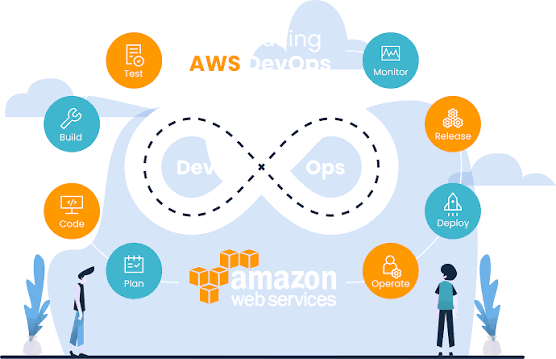
Which are the AWS Tools Every DevOps Engineer Should Know?
If you are involved in the field of DevOps, then you also need to use AWS. Because nowadays most of the teams that use it run their stack in AWS, and having knowledge of it will make you stand out from the other developers. Also, this matters a lot if you are currently preparing for the “AWS Certified DevOps Engineer Professional” exam; then learning this article can help you a lot.
This article focuses on understanding the AWS tools every DevOps Engineer should have an idea of. As most of the services are built around this, getting knowledge of it can help you stay ahead in the world of AWS. So, let’s begin discussing this in detail:
AWS Tools Every DevOps Engineer Should Know:
These are some of the AWS Tools that Every DevOps Engineer Should Know:
CodeDeploy
This is the piece that actually gets your build out to servers, EC2, your own machines, Lambda, ECS- doesn't matter. Blue/green deployments and rolling updates live here, and both exist to stop your users from noticing when something's changing behind the scenes. Rollbacks are a favorite exam topic too, so don't gloss over that part when you're studying.
CodePipeline
Everything above connects through here. A commit goes in, and the pipeline handles the build, the tests, the deployment- no clicking required. Once you've built a pipeline with several stages and an approval step in the middle, the whole idea of continuous delivery stops being abstract and starts making sense.
CloudFormation
Instead of clicking around the console to set up servers and networks, you write it all down in a YAML or JSON file and let CloudFormation build it for you. Your environments end up consistent, and changes to infrastructure get tracked the same way code changes do. Stack sets, nested stacks, drift detection- these trip up a lot of people, so it's worth slowing down here.
Elastic Beanstalk
Handles the servers, load balancing, health checks, all the stuff you'd rather not think about early on. Upload your code, and it takes care of the rest. Not something experienced teams reach for much, but it's a reasonable starting point if you're new to this and don't want infrastructure decisions slowing you down on day one.
ECS and EKS
Containers are everywhere in DevOps work these days, and these two are AWS's way of running them. ECS if you want something simpler and more contained, EKS if you're already committed to Kubernetes. Task definitions, auto-scaling rules, basic Kubernetes concepts, worth knowing well, since more teams keep moving this direction every year.
CloudWatch
It shows what is happening inside your system. Well, it collects the logs, metrics, and alarms in one place. This enable you not to predict when something goes wrong. So, most of the DevOps Engineers check CloudWatch dashboards all the time. So, the logs insight will make this easy to search through the large amounts of log data. If you ever need to follow the request it will move between the services by using X-ray with same.
Systems Manager
If you manage more than a few servers, this tool saves a lot of time. Parameter Store holds your configuration settings. Session Manager lets you log into machines without setting up SSH keys everywhere. Patch Manager keeps your servers updated. Instead of logging into each server one by one, you handle everything from one place.
CloudTrail and Config
CloudTrail records every action taken through the AWS API. Config keeps track of how your resources change over time. Together, they give you a clear history to check when something breaks and no one knows why, or when you need proof of what happened for a security review. This is also where DevSecOps work usually begins.
Lambda
Lambda runs your code only when something triggers it. There are no servers to set up or manage. DevOps teams use it to add small automated steps inside pipelines, or to fix small problems quickly without building anything bigger. You only pay for the time the code actually runs, so it works well for small, event-based tasks.
Getting Good at This
Just reading about these tools won't take you far. Real learning comes from building your own pipelines, writing your own CloudFormation templates, and fixing problems when they happen, even late at night. A good AWS DevOps course gives you that kind of practice instead of just explaining things.
If you like learning at your own speed, a DevOps online course lets you do that while still covering what you need for real jobs and for the exam.
If you want to grow in your career, the AWS Certified DevOps Engineer Professional certification is worth the effort. It shows that you can build delivery pipelines, automate security checks, and monitor systems the right way, all skills tied to the tools above.
Conclusion:
From the above discussion, it can be said that none of these tools are optional if you are looking to work seriously in AWS DevOps. From storing code to build this, deploy this, watching it and locking this down, all of them get connected in one workflow. So, spend your valuable time in learning them instead of just memorizing the name for the sake of an examination. Focusing well can help you handle the rest of the job more easily.
Post a comment